Features reviewed on from Taplio's own product pages.
Feature matrix
Each Taplio entry links to the official page where we checked it. “Not found” means we couldn't find it on Taplio's own pages, not that it definitely doesn't exist.
| Capability | Spark Linky | Taplio |
|---|---|---|
| Publish to LinkedIn personal profiles | Yes | YesSource ↗ |
| Publish to LinkedIn company pages | Not yetPending LinkedIn's approval for page access | YesSource ↗ |
| Publish to other social networks | LinkedIn onlyBuilt for one network on purpose | Not foundAppears to be LinkedIn only |
| AI writing help | Yes | YesSource ↗ |
| Learns your writing style from your own posts | YesTrain Style built from example posts you choose | YesLearns from your posts and editsSource ↗ |
| Turns links, videos, or documents into post drafts | YesURL, YouTube, PDF, audio, or pasted text | YesArticle or YouTube URLs; PDF input not mentionedSource ↗ |
| Talk through an idea by voice to get a draft | YesBrainstorm asks follow-up questions, then drafts | Not found |
| LinkedIn carousels (document posts) | YesBuilt-in carousel studio; publishes as a PDF document post | YesBuilt-in carousel generatorSource ↗ |
| LinkedIn post analytics | YesPost and account analytics plus a weekly report | YesSource ↗ |
| Team approval workflow | Yes | Not foundTeam docs cover seats and postingSource ↗ |
| Engagement tools (comments, inbox) | PartlyFocus queue for commenting on others' posts; no comment inbox | PartlyFocused on commenting on others' postsSource ↗ |
| Free plan or free trial | Paid plansSee current plans on the pricing section | 7-day trial7-day free trial; no free plan foundSource ↗ |
Products change often. Check each provider's site before you decide.
Which one fits you
Choose Spark Linky if…
- You want to talk through a story by voice and get a draft from your own words.
- Your source material includes PDFs or audio, not only links and YouTube videos.
- You need a team review step before posts go out.
Choose Taplio if…
- Commenting on other people's posts and audience growth are a big part of your routine.
- You want lead-generation tools alongside publishing.
- You'd like to try the full product on a free trial first.
Where Taplio is strong
Taplio combines AI content creation and scheduling with engagement, analytics, and audience growth tools. Its wider LinkedIn growth toolkit can suit people who want publishing and outreach activities in one place.
Where Spark Linky is focused
Spark Linky starts with your own source material and voice. You can talk through a story, turn a link or document into angles, build a carousel or mind map, then schedule and study the result.
How to decide
If engagement and outreach workflows are central, inspect Taplio's toolkit. If your bottleneck is turning your expertise into original LinkedIn posts and visuals, walk through Spark Linky's creation flow.
What Spark Linky looks like
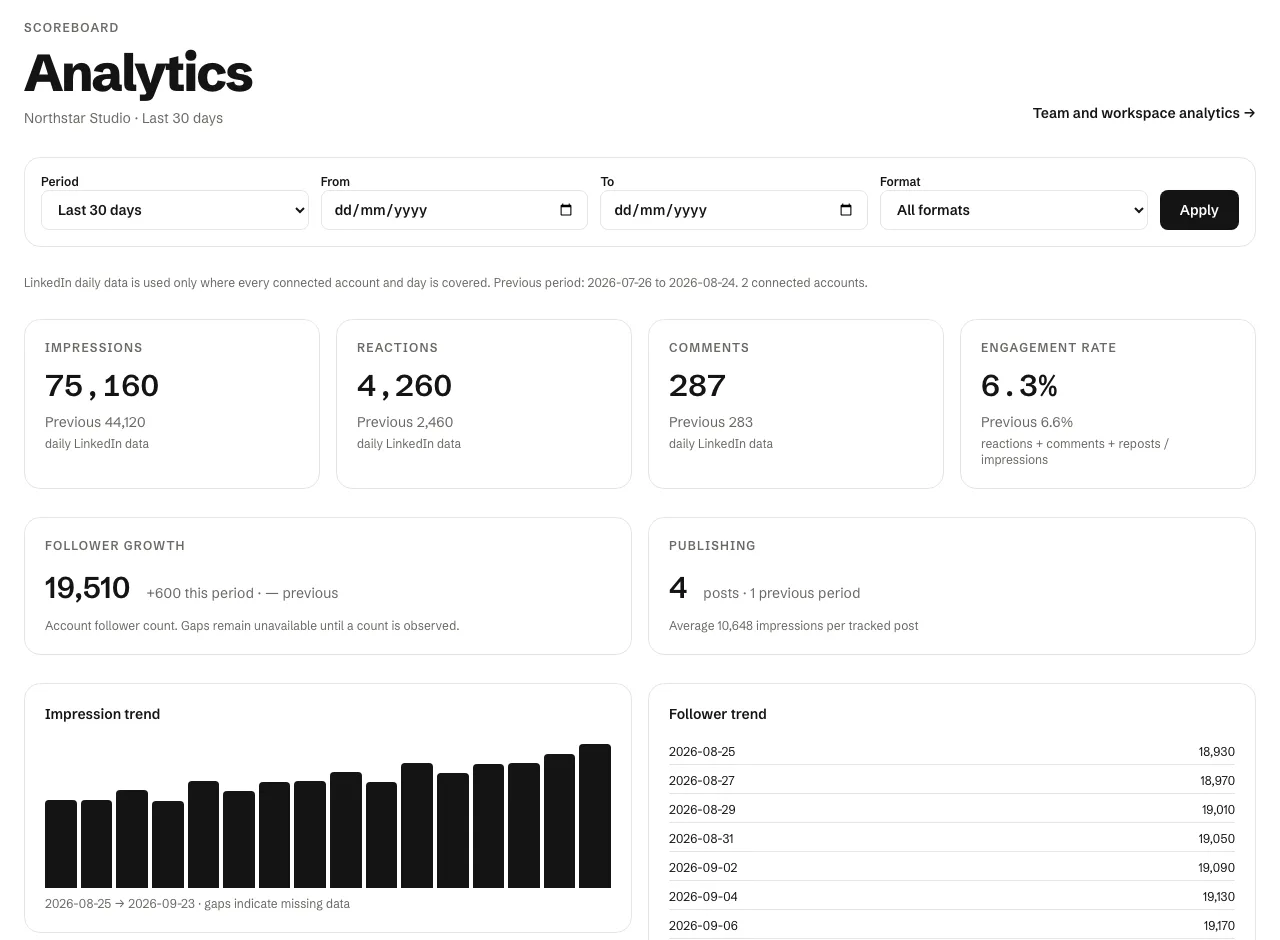
After a post goes live, Spark Linky's analytics compare it with your previous period and your own average, so you can see which ideas are worth following up.
Our review of Taplio, September 29, 2026
Taplio is a LinkedIn-only tool built around personal-brand growth: ideas, AI writing in your voice, a carousel generator, scheduling, analytics, and engagement tools.
- Taplio says its AI learns your voice from your posts and edits.
- Its carousel generator accepts a post, an article URL, a YouTube URL, or a rough idea.
- We didn't find a formal approval workflow in Taplio's team documentation.
Sources
Checked on September 29, 2026. Product features and plans can change; check each provider before deciding.